
SKU SM-61-KIT
Product Description
SM-61 is a wireless point-to-point video transmission module pair designed for standard USB cameras. It takes the MJPEG/YUV stream from a wired USB lens, sends it over a dedicated 5.8 GHz Wi-Fi link, and the receiving module converts it back into a standard USB 2.0 UVC video stream. The host therefore sees an ordinary USB camera — no driver, no cable, no external network.
The kit consists of a transmitting end (SM-61-TX) and a receiving end (SM-61-RX). Pairing is automatic and one-to-one, so several links can run side by side without interfering with each other. Video, snapshots and recordings are handled by the terminal: Windows PC, large-screen smart terminal or an Android/iOS phone running the HDview app.
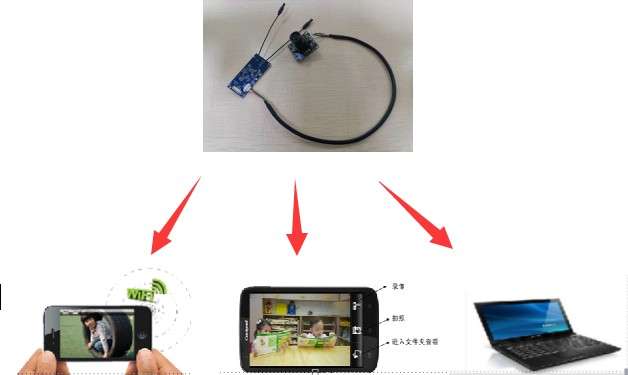
Key features
- High-speed, stable video transmission — MJPEG/YUV to wireless point-to-point streaming; supports 1080P/4K high-speed transmission with no visible delay or stutter.
- Bidirectional serial communication — a UART channel rides along with the video for control data between the two ends.
- Multi-platform display and control — Windows PC, large-screen intelligent terminals and Android/iOS smartphones.
- Dedicated point-to-point link — video traffic never goes through an external network or the internet.
- Driver-free UVC output — the receiver presents itself as a standard USB 2.0 UVC camera.
- Low power, easy to use — 3.3–5 V supply, ~2.5 W for the transmitter and ~2 W for the receiver; fast one-to-one pairing, then plug and play.
How it works
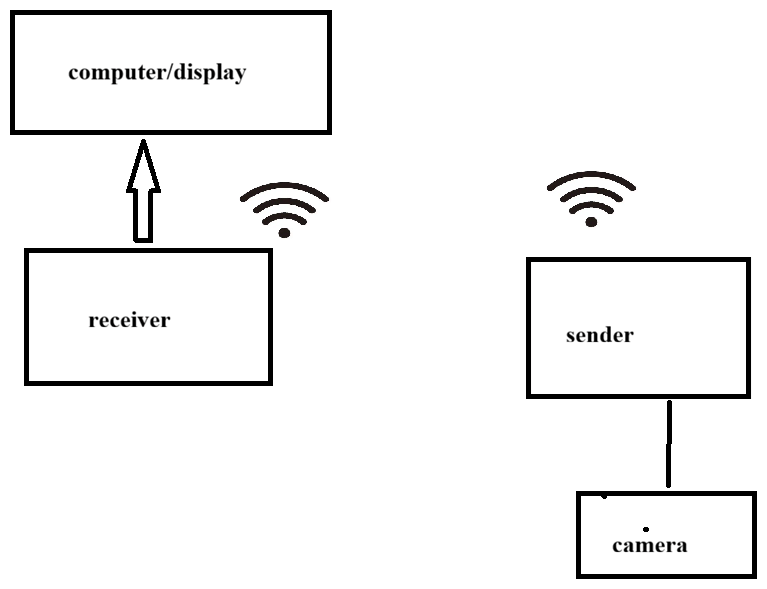
A USB camera connects to the transmitter’s USB 2.0 lens input. The stream is acquired as MJPEG or YUV, transmitted over the 5.8 GHz band to the paired receiver, and immediately re-encoded into a standard USB 2.0 UVC video stream for the host device.
- Capture — the USB camera sends MJPEG/YUV video to the transmitter.
- Transmit — a high-speed wireless chip pushes the stream to the designated receiver over 5.8 GHz (automatic pairing).
- Convert — the receiver outputs a standard USB 2.0 UVC stream.
- Display and record — the host handles live preview, snapshot, recording and two-way data.
Interfaces and pinout
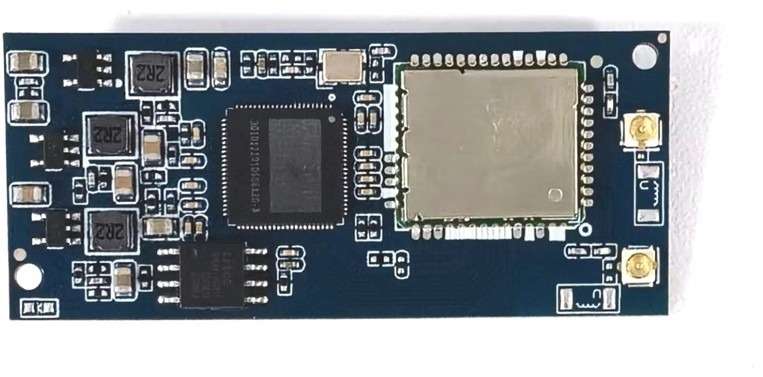
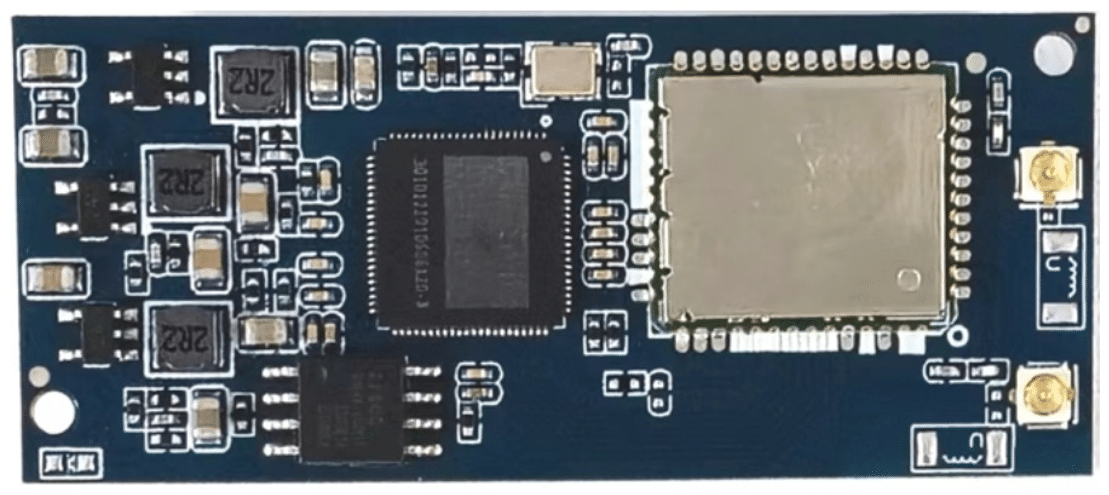
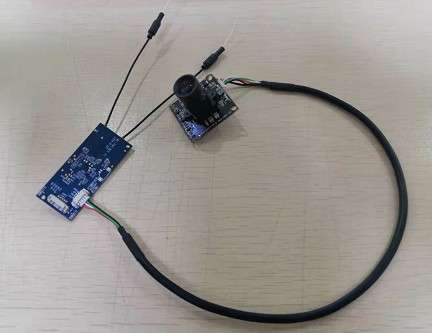
All connectors are 1.25 mm pitch horizontal (lying) SMT types. Two IPEX antenna connectors are provided and two 5.8 GHz antennas are supplied with each module.
| Connector | Type | Function |
|---|---|---|
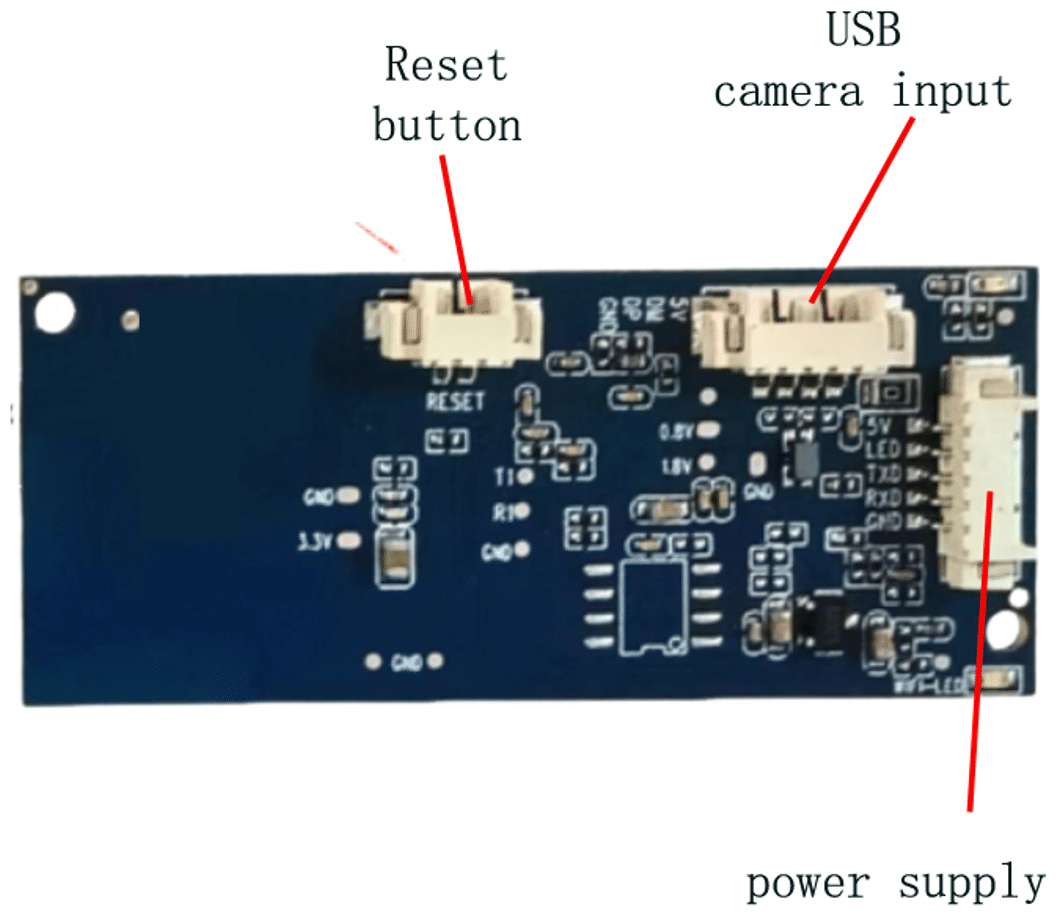
| Card holder 1 | 4-pin, 1.25 mm, lying SMT | USB 2.0 lens (camera) input interface |
| Card holder 2 | 5-pin, 1.25 mm, lying SMT | USB 2.0 power input / communication interface |
| Card holder 3 | 2-pin, 1.25 mm, horizontal SMT | Reset — short the two pads for 6 seconds to reset Wi-Fi |
| Antenna | IPEX, 2 × 5.8 GHz 103 mm black | External antenna connection (two supplied) |
| Connector | Pin order | Signal |
|---|---|---|
| J1 — camera input | Left to right | V+ / DM (USB D−) / DP (USB D+) / GND |
| J2 — power & communication | Bottom to top | V+ (3.3–5 V input) / WIFI-LED (Wi-Fi indicator output, may be left unconnected) / TXD (UART output) / RXD (UART input or camera key input) / GND |
| J3 — reset | 2 pads | Short for 6 s to reset the Wi-Fi configuration; hardware photo pads are also reserved on the motherboard |
Note: TXD/RXD require custom firmware. With the matching software, shorting RXD to GND takes a photo; holding it to GND for more than 2 s starts video recording. This pin is often used for an industrial endoscope camera key.
Module dimensions and board photos
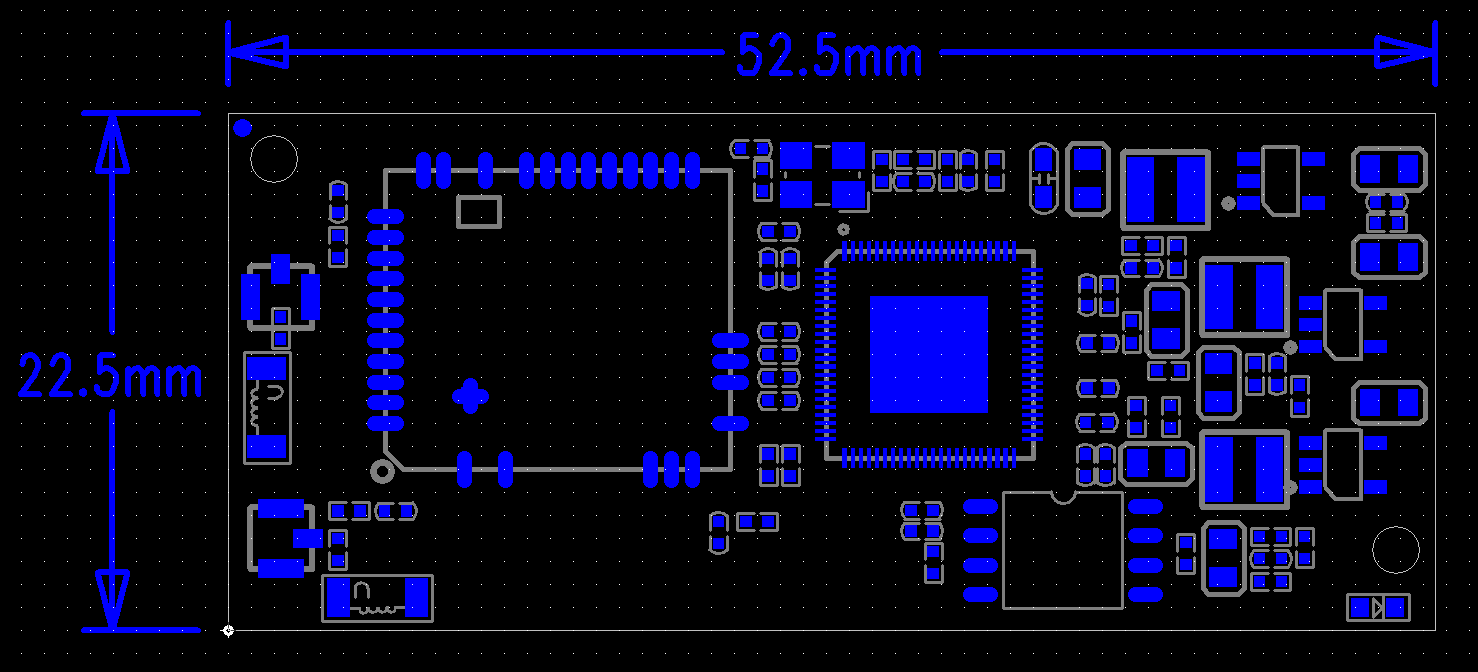
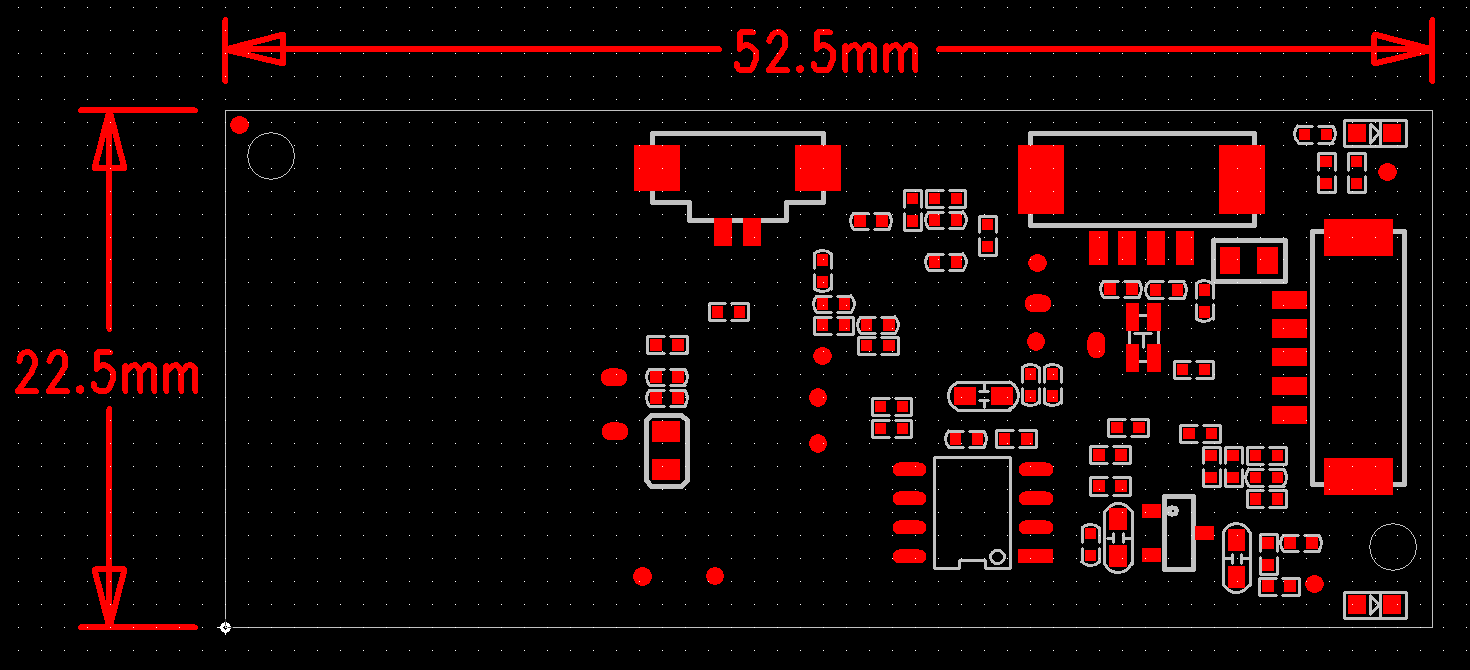
The board measures 52.5 × 22.5 mm, with a 3 mm height limit on the reverse side. Module weight is about 10 g.
Specifications
| Power supply range | 3.3 V – 5 V |
| Average power consumption | 2.5 W (transmitter) / ~2 W (receiver) |
| Operating temperature | −10 °C to +70 °C |
| Start-up time | 10 s |
| Weight | 10 g |
| Board size | 52.5 × 22.5 mm, 3 mm height limit on reverse side |
| Working mode | AP mode / STA mode |
| Working frequency | 5725 – 5850 MHz |
| Network protocol | 802.11ac |
| Transmission speed | 100 Mbps |
| Transmit power | > 13 dBm |
| Antenna | External, 2.5 dBi (2 × 5.8 GHz, 103 mm) |
| Encoding format | MJPEG |
| Resolution | VGA / YUV / 720P / 1080P / 4K |
| Transmission frame rate | 30 fps |
| Storage frame rate | 20 fps |
| Video file size | 400 MB/min |
| Recording format | *.AVI / *.mp4 |
| Recording loop | Supported |
| File naming | Named at current time |
| Browse mode | APP |
| USB format | MJPEG USB 2.0 / YUV |
| Camera resolution | Up to 4208 × 3120 |
| Photo resolution | Up to 4208 × 3120 |
| Video resolution | VGA |
| Supported sensors | 0.3 MP / 1 MP / 1.3 MP / 2 MP / 5 MP / 8 MP / 13 MP options |
| External communication | UART serial port |
| Phone support | Android / iOS |
| Typical fields | Industrial, medical, toy, high-speed camera and other intelligent industries |
Operating modes
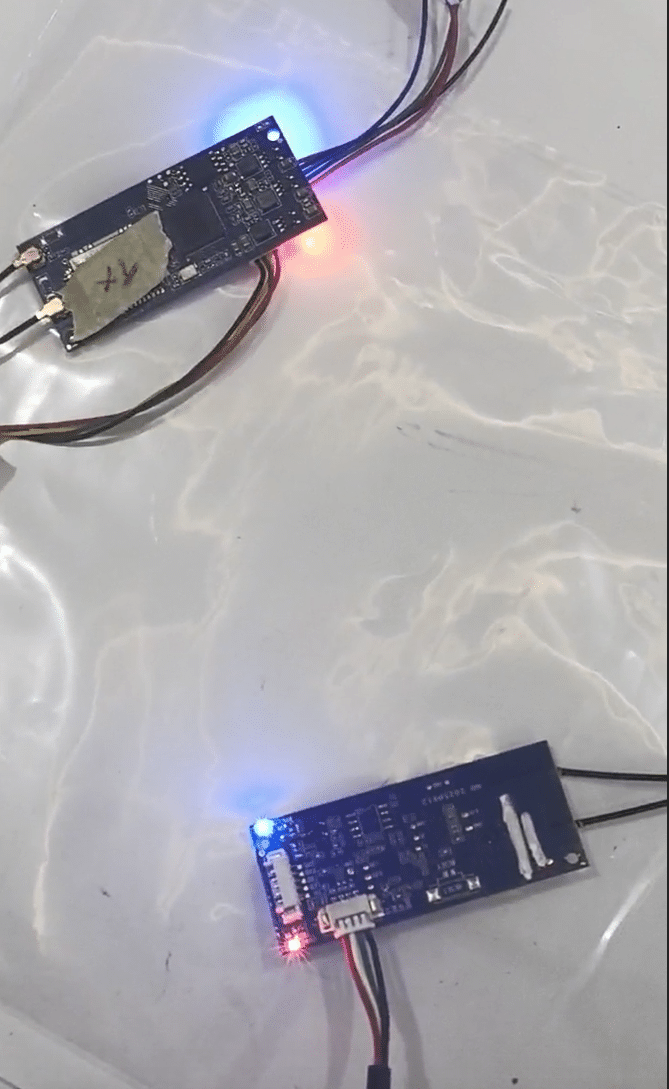
Mode 1 — transmitter + receiver module. Two SM-61 modules work together: one as the generating (transmitting) end, one as the receiving end. The pair runs different firmware, and the receiver outputs a UVC stream to a computer or display terminal. This is the configuration for fixed installations and OEM products.
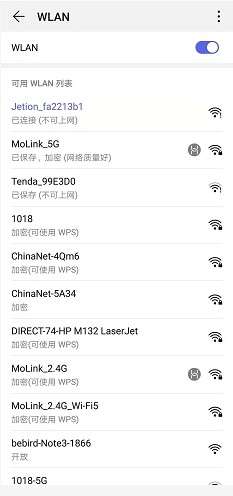
Mode 2 — smartphone as the receiver. With the HDview app installed, the phone joins the module’s own Wi-Fi network and works as the receiving terminal: live preview, snapshot, recording, playback and settings. Default SSID is “HDAV + random number” or “Jetion + random number” (naming varies by production batch); default password is 12345678.
Quick start
- Unpack — you need the SM-61 module board and the two external 5.8 GHz antennas.
- Power and connect — power the module from a lithium battery or a USB cable (3.3–5 V, 500 mA or more), then connect the USB camera to the lens input.
- Install the app — install the HDview app on an Android phone.
- Join the Wi-Fi network — in the phone’s Wi-Fi list you will see an entry such as “HDAV + random number” or “Jetion + random number”; enter the password 12345678 if prompted.
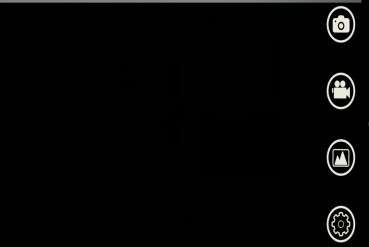
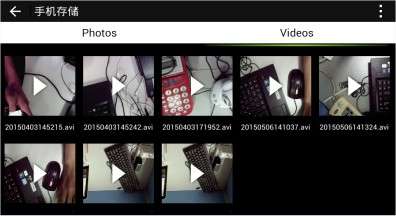
- Open the app — the live image appears immediately. From the main interface you can snap photos, record video, browse files and change settings.
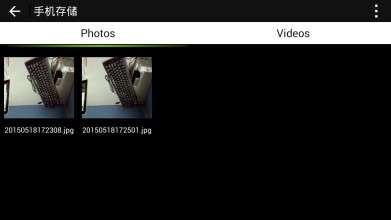
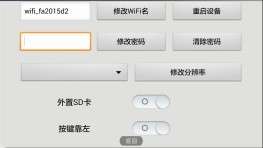
The HDview app covers live view, capture, playback and configuration:
Troubleshooting
The Wi-Fi network is not visible
In most cases this is a power problem. Check that the supply is within 3.3–5 V and can deliver more than 500 mA, and verify the polarity of the power connector. The access point name differs between production batches, so the “HDAV…” or “Jetion…” entry may not match older documentation.
The module asks for a Wi-Fi password
The default password is 12345678. Change it in the app if needed — a forgotten password requires returning the unit to the factory, so keep a record of any new password.
The app shows no image
Look at the top-left corner of the app’s main interface: if it shows “U”, the lens is usually wired incorrectly. Check the D+ / D− connections and confirm the camera is an MJPEG or YUV model.
The module becomes warm
This is normal. After long operating periods the surface temperature reaches roughly 60–70 °C, and the module is designed to keep working under those conditions.
The image stutters or freezes
The normal transmission distance is 30–40 m. Interference — especially crowded 2.4/5 GHz environments such as exhibitions — can degrade the link, so try to avoid electrically busy locations.
Documentation and ordering
The full user’s manual (V1.1, English) covers every connector, parameter and operating procedure in detail:
Download SM-61 User Manual (PDF, English)
The camera is not included; the module is supplied with two 5.8 GHz antennas. For quantity pricing, OEM branding or firmware customisation (UART control, camera key behaviour), please contact us at business@shiningintl.com.


